Pro Audio
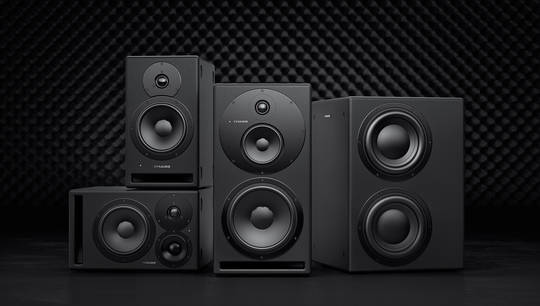
Get to know the Dynaudio 18S studio subwoofer
805 views
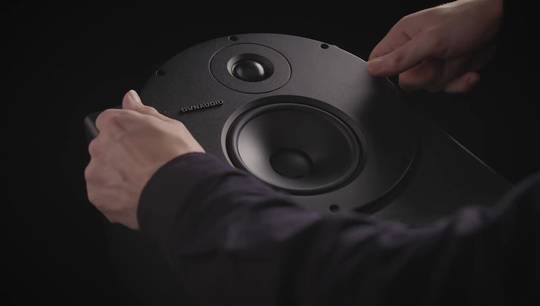
In this video, we take a closer look at how this intelligent subwoofer works, how you integrate it into your system and much more together with Ashley Sheppard.
Chapters in this video:
00:51: Stereo vs. surround
01:45: Room placement
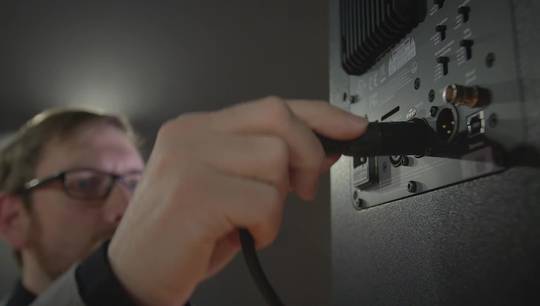
02:55: Audio connections
03:36: Powering up
03:57: DSP setup
07:24: Fine tuning
Follow Us
► YouTube https://www.youtube.com/user/Dynaudio...
► Facebook https://www.facebook.com/DynaudioProfessional
► Twitter https://twitter.com/dynaudio
► Instagram https://instagram.com/dynaudio/
► LinkedIn https://www.linkedin.com/company/dyna...
Find a Dynaudio dealer http://www.dynaudio.com/find-dealer/
Visit http://www.dynaudio.com/professional-audio/
View transcript
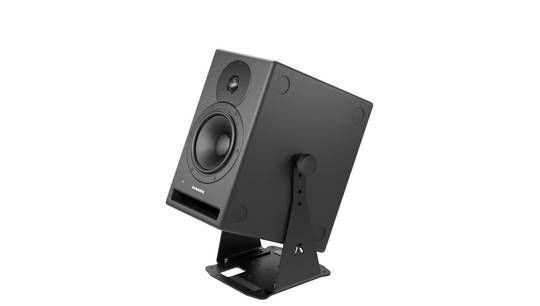
- Hello, this is Ashley Shepherd, and I'm here to show you how to set up the Dynaudio 18S Subwoofer with a pair of speakers to create a full range monitoring system. But first, let's take a closer look at the 18S itself. This subwoofer differs from previous Dynaudio designs primarily in the use of the two opposing nine-inch drivers in the cabinet. You could think of this as like one 18-inch driver capable of reproducing frequencies as low as 18 Hz. The other new aspect of the design is the digital amplifier block, which has 500 watts of Class D amplification, plus DSP that allows you to configure the response of the subwoofer for different sets of speakers and different room configurations. In professional sound studios, subwoofers are used in two main ways. The first way is as an extension for main speakers to increase their low frequency response or extend the response of the speakers into lower frequencies. The second is as a low frequency effects channel in a surround mixing environment, where the low frequency effects channel is a dedicated channel only delivering certain specific low frequency sound effects or musical elements that only come out of the subwoofer. This is often referred to as the "boom channel" or the .1 channel in a 5.1 surround system. In this video, I'll show you how to use the 18S as an extension to a stereo monitoring system using the LYD 48s, extending the bass response all the way down to 18 Hz. So the first and possibly most important consideration is where to place the subwoofer in the room. Now, our hearing has difficulty in localizing low frequency sounds. In other words, we can't really tell where the bass is coming from, so that gives you some freedom to place the subwoofer in multiple different locations without affecting the imaging of the system. Now the second consideration is that location of the subwoofer can affect the low frequency response of the room. This has to do with room modes and the dimensions of the room and the relative position of the subwoofer. For example, if you place a subwoofer closer to a wall, or especially closer to a corner, you can dramatically increase the amount of bass in the room but it might not be very even; probably not a good idea. So the rule of thumb is, to place a subwoofer inline with the main speakers and slightly off center. So maybe to the left or the right, depending on what's convenient. The reason to do this is you want to avoid placing a subwoofer right on the midline of a room because you can actuate the axial modes in that room quite dramatically. So, that's the rule of thumb. We're going to place the subwoofer off center, in line with the main speakers. Now let's connect the 18S to your monitoring system. Take the outputs of your audio interface, or monitor controller, and connect them to the inputs of the 18S. Then connect the outputs of the 18S to the inputs of your main speakers. This allows the DSP in the 18S to control the crossover frequencies, sending only the high frequencies, or the upper frequencies, to the main speakers, and redirecting all the low frequencies to the subwoofer. If you're using the 18S as the LFE channel in a surround system, all you need to do is connect the LFE output of your audio interface or monitor controller to one of the inputs on the 18S. To power on the monitor system, let's start with the audio interface first. Then turn on the 18S, and then finally turn on your main speakers. Powering up in this order will prevent any unwanted pops from coming through the speakers. And then when you want to turn the monitor system off just reverse the order; start by turning off the main speakers, then the 18S, and finally the audio interface. So now that everything's powered up and ready to go, let's set up the 18S DSP system to match the profile of your speakers and make adjustments to tune it to the room. When you first power on the 18S, you can see that the menu system will boot up, and we can see what version of software we have here, in this case Version 1.01. Then, we default to the main volume page. And here you can see a display of the level in decibels. And if you adjust the knob, you can increase or decrease the level by half a dB increments. To enter the menu system press the knob. Once in the menu system, you can turn the knob to select the various options, and then press the knob to either execute or select that option. The first page shows the status, if the sub is operating normally. The second page allows you to adjust the input sensitivity. Now for professional audio interfaces, start with the -6 or -12 dB setting. The third page is where you select the pre-set profile of the speakers that you're using. Now, if you're using the 18S as the LFE channel in a surround system, set this to bypass. Otherwise, choose the model of speaker that's connected to your system, and select that. In this case I'm going to select LYD 48 profile. If the model of speaker that you're using is not available as a pre-set profile, use one of the following crossover settings that best matches the bass roll-off of your speakers. For example, if your speakers have a bass roll-off of -6 dB at 65 Hz, use the 65 Hz, 24 dB per octave crossover setting in the 18S as a starting point. The fourth page is the phase reverse setting. This allows you to flip the polarity of the subwoofer output. Now, normally this should be set to zero degrees, but in certain cases you might need to flip the polarity to provide the best response in a given situation. So the way to test for this is go to the listening position, and listen to the subwoofer, or with program material, with both settings, and then select the one that has the most bass output. And of course later you can adjust the overall subwoofer level to compensate for this. The fifth page contains the three PEQ bands, or program equalizers. Each band has its own adjustable frequency, gain, and Q, or bandwidth. Now remember, acoustic testing equipment should be used when making any significant changes to the program equalizers. The sixth page allows you to set the auto standby time, whereby the 18S will go into a power-saving mode after either 60 minutes or 120 minutes of inactivity. The seventh page is the line wake feature, which allows the subwoofer to turn back on when it detects an input signal. The eighth, ninth, and tenth pages are for timing delays in case your speakers are at different distances to the listening position. Basically, you measure the distance from each speaker, and the subwoofer, to the listening position, and then enter those distances in centimeters in these three pages, and the 18S will calculate all the timing delays necessary to make sure that sound arrives in phase at the listening position. Finally, the eleventh page allows you to perform a factory reset of all parameters. Now that you've made all the settings in the DSP, it's time to listen to some music. So start out with some material that you're familiar with, but also has some good low frequency content in it to test out the sub. The best advice I can give is not to overdo it; too much subwoofer volume can give unrealistic results, and your mixes might not translate so good on other systems. Certainly if there's an extremely low bass note or drum element, the 18S is going to let you know it's there clearly. But generally speaking most of the time the subwoofer should be subtle at moderate playback levels. If you want to fine tune the frequency response of the subwoofer, try experimenting with different positions. If you move the subwoofer maybe a foot or so in any direction, you can dramatically change the frequency response in the room, and you'll find one location that probably sounds the best. For very refined adjustments, acoustic testing equipment should be used, and the advice of a professional acoustician or system tuner would be recommended. Thanks for watching this Dynaudio tutorial, and I hope you enjoy listening to the 18S.